Challenge 2: My Place
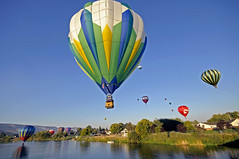 Last week we learnt all about you – your interests, your favourite foods, music and lots of other things when you wrote your ‘About’ page. This week we are going to learn all about the area in which you live.
As many of you know, I will be visiting the USA and Canada (in fact I am in California now). When you write your posts or use web 2.0 tools, remember to be internet safe and not give away any personal information. Check with your teacher or parent, to find out if you can mention your school name or town.
But firstly, a few administration pointers.
Please check to make sure you have the following widgets visible on your blog’s sidebar: blog avatar, pages, recent comments, recent posts, blogroll or links, categories. If not using Edublogs, the names of these widgets might be different.
Have you made sure you are getting an email whenever someone leaves a comment on your blog so you can moderate this? It can be annoying for your mentor to go to your blog and find no comments have been approved for the last month or so.
In your profile page, do you have your blog URL included? – this links to your name for when you leave a comment.
Now let’s get to the activities.
Activity 1. Add a widget to find out where your commenters are coming from.
There are many different widgets you can use – clustrmaps, flag counter, feedjit Have you seen any others while visiting blogs of other students? Maybe you could write a post about why you chose the commenter widget you have put on your blog.
Activity 2. Add one or more widgets about your area of the world
This might include a clock or weather or a translator widget in case students who don’t speak your language can translate your post.
When adding widgets to your sidebar, copy and paste the embed code into a text box on your sidebar.
- Save then close.
- If the widget is too wide, you will have to adjust the number next to ‘width’ in the embed code.
- This might appear more than once in the code.
If using blogger rather than Edublogs, you might need to check out the instructions for adding widgets and images etc from Bling For Your Blog, written by a teacher in New Zealand. Thanks Allanah.
If your blog is an Edublogs free blog, you might not be able to put all the widgets in your sidebar.
Activity 3. Write a post about a tourist attraction in the following states or provinces.
Miss W and Mr Davo Devil will be visiting these states and provinces: California, Oregon, Washington, British Columbia, Alberta, Saskatchewan, Manitoba, North and South Dakota, Iowa, Illinois, Ohio, New York, Connecticut, Rhode Island, New Jersey, Pennsylvania, Indiana, Missouri, Kansas, Oklahoma, Texas, New Mexico, Arizona, Utah and back to California. They enjoy visiting national parks and historical places. Where would you suggest they go while in those states and provinces? Suggest a tourist attraction in at least 5 places.
Activity 4. A year in your town
Write a post, create a glogster, make an audioboo tape, create a Storybird or add a Voki telling Miss W about the festivals held in your town throughout the year. Which festivals do you enjoy the most and why? When are the festivals held in case she can visit one while she is travelling? If under 13, check with your teacher or parent if you want to use a web 2.0 tool rather than writing a post in your blog.
Activity 5. Visit other participants and ask questions
Visit at least five other blogs from students or classes around the world and ask some questions in your comments. We have participants from Australia, New Zealand, USA, Canada, Hong Kong, China, South Korea, Scotland, Ireland, Denmark, Russia, Colombia, Taiwan, Greece and Indonesia taking part in the challenge.
Activity 6. Questions in a post
Write a post asking questions about the different countries mentioned in activity 5. Have at least 6 questions in your post.
Activity 7. Where I would love to visit and why
Write a post or use a web 2.0 tool telling your readers about a place you would love to visit and why. Try to include some hyperlinks (links that are underlined in your post and take your readers to another website)
Activity 8. Create a game or quiz about your town, state or country
A few places to do this include: Quiz Revolution, Class Tools, Remember to check with your teacher or parent before using these web 2.0 tools. Sometimes your teacher or parent will create an account that is moderated by them and is therefore safe for students to use. Do you know any other places to create games and quizzes?
Copy this trackback link in any posts you write about these activities: Challenge 2 Sept 2011 so I will know to visit your blog and read your post or else leave a comment on this post directing me to your blog.
Attribution:
164 comments on “Challenge 2: My Place”
[…] Challenge 2: My Place. by Mrs. Caudill posted under misc. | No Comments » Click here to cancel reply. […]
[…] written for Edublogs Student Challenge #2 AttributionNoncommercialShare Alike Some rights reserved by swisscan […]
[…] the SBC a place you should go in Texas is the carnival. I think is a fun place to visit and you can ride […]
[…] Sept 2011 – Widgets and Games (My Place) […]
[…] written for Edublogs Student Challenge #2 AttributionNoncommercialShare Alike Some rights reserved by swisscan […]
[…] http://studentchallenge.edublogs.org/2011/09/18/challenge-2-my-place/ […]
[…] Challenge 2 […]
[…] Student Blogging 2011: Challenge 2 […]
Hi Ms W!
This is my very first blog, but so far, so good. Please visit my blog and see my posts for this challenge!
Thank You!!!
Mariana (6dmarianasblog.weebly.com)
[…] of Edublogs Challenge 2 was to look at a few of the places Miss W would be visiting and recommend places for her to see. […]
[…] Challenge 2 Sept 2011 Share this:TwitterFacebookLike this:LikeBe the first to like this post. […]