2016 Student Blogging Challenge Badges Are Here!

Here are the new 2016 badges ready to add to your blogs.
You can right click the badge above to save it to your computer, and then follow the instructions below to add the badge to your blog.
Adding A Badge to Your Blog’s Sidebar
Using the Image Widget (Edublogs and CampusPress)
1. Save the image above to your computer.
2. Go to Appearance > Widgets.
3. Add an Image Widget to your sidebar
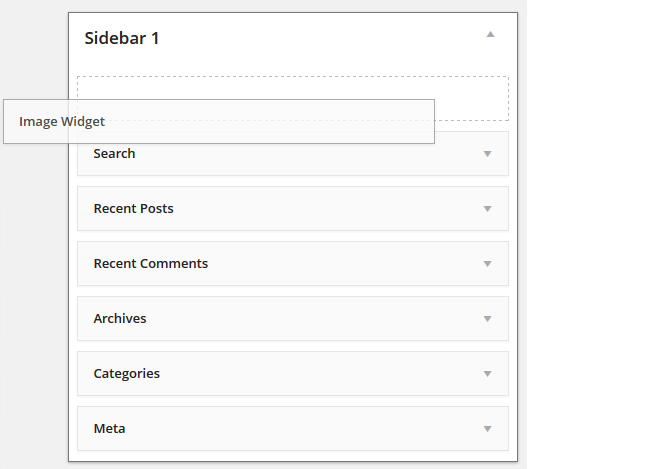
- On CampusPress blogs you may need to activate the Image Widget plugin in Plugins before you’ll see it in Appearance > Widget.
4. Click on Select Image.

5. Click on Select File, locate the image and then click Open to upload the image.
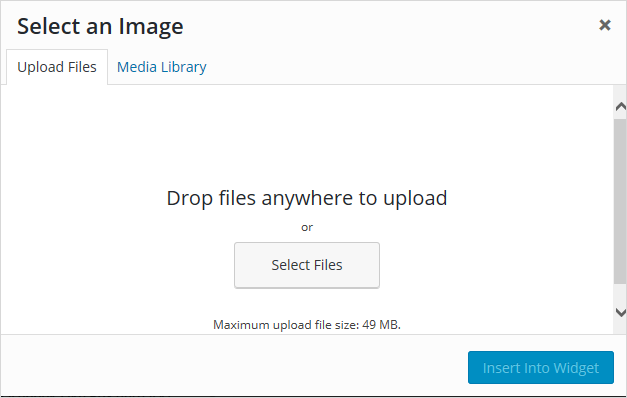
6. Click Insert into Widget.
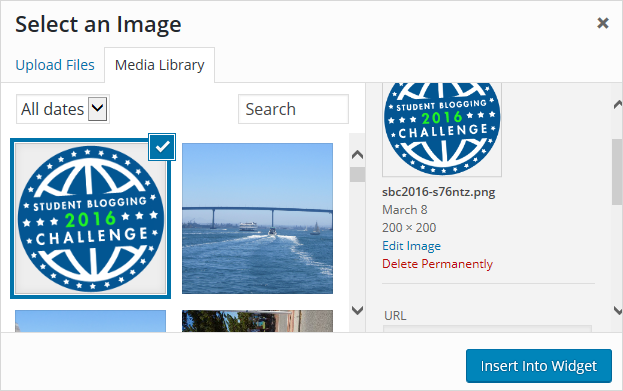
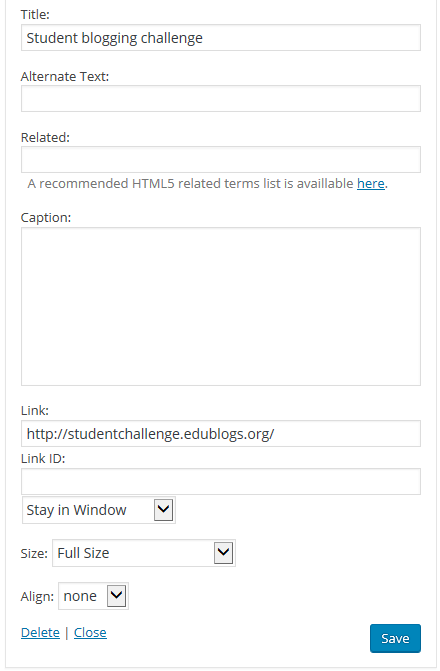
7. Add your title.
8. Add a link to the Student blogging challenge blog (so anyone interested in the challenge can easily click through).
9. Click Save
10. You should now see your image widget in your sidebar!
Using a Text Widget
1. Go to Appearance > Widgets.
2. Add a Text widget to your sidebar.
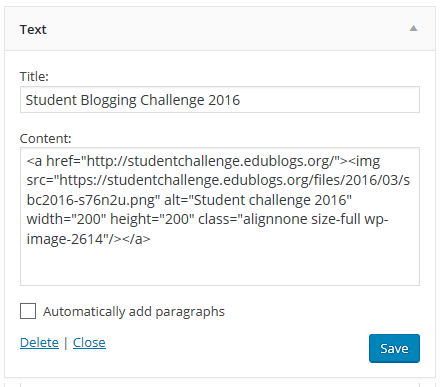
3. Give the Text Widget a title (Optional); something like “Student Blogging Challenge 2016” would work well.
4. Copy and paste the following code into your widget:
<a href="https://studentchallenge.edublogs.org/"><img src="https://studentchallenge.edublogs.org/files/2016/03/sbc2016-s76n2u.png" alt="Student challenge 2016" width="200" height="200" class="alignnone size-full wp-image-2614" /></a>
It should look like this:
5. Click Save.
14 comments on “2016 Student Blogging Challenge Badges Are Here!”
Hey miss w I really liked the badge!! Hey come visit my sister e if you want to at https://2021cc.edublogs.org. Really hope you visit!
Hi Ms.W,
This is my blog URL: http://2021was.edublogs.org/about-page/
http://yacobisd20.edublogs.org/
Hey Miss W.
This is my blog’s URL: http://rosaneisd20.edublogs.org/
-Rosane
http://hakimsblog.edublogs.org/
http://alexisd20.edublogs.org/
Hi Miss W,
Thanks for the helpful tips.
This is my URL for my blog. http://www.sarahst16.edublogs.org
Can’t wait for the upcoming challenge.
Thanks,
Sarah
Hi I loved the badge. Oh and I nearly forgot my blog site:
http://michaelroom9bnms.blogspot.co.nz.
Thanks,
Michael.
What does this actually do for our blogs, exactly?
I have a question for you.How do you add the Image Widget? I don’t have it on my list.
Dayoung,
Your teacher might have to activate the plugin called image widget. Otherwise you can copy the code and put it in a text widget which you do have.
i never knew about badges!
Hi Ms W,
I was just wondering how you would do this, if your blog was set up with Blogspot.
-Sarah
Hi Sarah,
I will find a link on how to do this and add it to this week’s challenge.