Week 1: Let’s talk about us
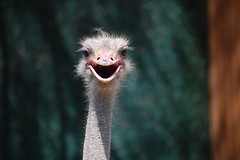
Welcome to the 14th student blogging challenge.
I hope you all enjoy the activities to choose from each week.
Teachers – remember you can adapt the activities to suit what is happening in your class at that time or you can cut and paste parts of it on to your class blog. Just remember to give credit where you found the ideas by linking back to the challenge post somewhere on your post.
Students – Each week there will be lots of activities to choose from. You don’t have to complete them all. But by Easter, your mentor or I must see your ‘About Me’ page or post as well as two other posts relating to the challenge. If they can not be found, your name will be taken off the list of students participating, especially if you have been given a mentor.
Mentors – they are there to give you some clues about blogging, reminding you of the challenge as well as carrying on conversations in your posts. Remember to read and reply to their comments politely and in a timely fashion.
Admin for week 1
- Check that your name appears only once on the list of participating students. Leave a comment on that page if I need to remove your name from the list – give me your name, URL and age so I can find you easily.
- If all the students in your class have blogs and your teacher has a section called ‘My class’, you should have a widget called ‘Class blogs’. Make sure this is on your sidebar.
- Add the challenge badge to your sidebar – here is link explaining how to do that.
- Can visitors leave comments on your blog posts? If your country is in bright pink, then you might need to change your privacy settings. Check this post for how to do this using Edublogs, Blogger and Kidblog.
Let’s start the activities
Whenever you meet a new person or join a group, there are three things you will most likely do.
- Look at the outside view of the person – do they look like the type of person you would enjoy being with?
- Then you would go deeper by asking some basic questions about the person and their interests.
- Finally, you would connect through shared interests.
We are going to cover those three things this week by creating an avatar to represent our outside view, create our about me page to show your visitors the type of person you are and your interests then you are going searching for other students your age who also have similar interests.
Creating avatars:
Activity 1: Here is a link to the post I use with my online students when they create their user avatars. This includes some great websites for creating avatars. Create your user avatar. Save it to your own computer drive as a jpeg file format no larger than 200 x 200 pixels. You might need to crop and resize.
If using Edublogs, check here. If using blogspot, check here. If using kidblog, check here. Teacher might need to change some settings in Kidblog to allow students to add own avatars.
Activity 2: Create a series of avatars to represent your family members. Use different avatar websites depending upon the person’s interests. Write a post about your family and include the avatar for each person. Remember – be internet safe, no personal information.
Activity 3: Class activity
As a class create a slideshow of your user avatars or add them to your header area. Below is an old example using animoto. Or check out how to customize your header – here is a post by Mrs Smith about creating avatars – using shapes,
This was my very first Animoto created back in 2009. Look at the list of tools on the sidebar for other slideshow creators.
Activity 4: Write a post describing your avatar. How much does it look like you? What sort of personality does your avatar have? What makes it typically you? Remember to include your avatar as an image in your post.
Activity 5: What are some apps or other websites you could use to create an avatar? Tell me about them, costs, age to use etc Maybe write a tutorial telling how to create the avatar on that website or app.
About me page or post
Activity 6: Create your own About Me page or post. Be careful about how much personal information you include. Try to be creative in both your words like Felix, or by including visuals like Warrior Kat. More students to check out: Nicole, Kendall, Tina,
- Write a poem
- Write an A-Z paragraph eg I am an athletic, yet brainy child who decided that saving the environment is one of my future goals.
- Create a video like our mentor Dinah has done
- Create a list of things people might not know about you like Ms Herring has done
- Write a Who am I like Mrs Keane or Mrs Lyttle
- Students in Ireland paired up to create their about us page, Ms Seitz’ class did the same
If using Edublogs, below are instructions for creating your page. If using blogspot, check here. If using weebly, check here. If using Kidblog, you will need to write a post.
- Login to your blog, go to the dashboard>pages>add new
- Change the title to About Me or something similar.
- If you only have one row of icons above the box, click on the last icon called the kitchen sink or toggle. This opens a second row which allows you to change font colours.
- In the box, write a bit about yourself remembering to be internet safe. Make sure you have checked out the pages from other students mentioned – many of them have been blogging for a while.
- When you have finished click the big button on the right side of your screen – probably says update or send for review.
- Once you have saved your about me page, go back and delete the sample page.
- If your theme doesn’t show pages in the header area, then you will need to go to dashboard> appearance> widgets and drag across the Pages one to your sidebar.
Activity 7: What are some apps or websites you could use to create something interesting to add to your About me page? Tell me about them, costs, age to use etc Perhaps a word cloud or glogster – brainstorm as a class.
Activity 8: class activity
Create a class avatar using Voki. Look at these examples from Mrs Essen’s class and Mrs McKelvey’s Blogging Frogs
Visiting other blogs
One important aspect of blogging is commenting on other blogs. Classes and student participants are grouped according to similar ages. Visit some other blogs, read posts, get ideas from them, leave a comment. Make sure you include your blog URL so they can come to visit your blog.
Activity 9: Are there other students your age with similar interests to you? Visit them and leave a comment on a post or their about me page.
Most students will also have a mentor who will be leaving comments. Make sure you read their comments and reply back to them. In fact, you should reply back to any interesting comments you receive – that is how conversations get started.
Leave a comment on this blog post when you have finished your activity or activities for this week. What activity did you do? Why? What did you enjoy about doing the activity? What else could we do regarding about me pages and avatars. Remember to include your blog URL so I can come to visit you and leave a comment on your post.
What's on this page?
107 comments on “Week 1: Let’s talk about us”
I think doing this is a really cool idea. How did you come up with it? Smiles to all 🙂
Hi Jade,
I have been running the student blogging challenge now for 7 years – I run them in March and again in September each year. The reason is to allow classes and students to connect with each other and have a global audience for their posts. Do you have a class blog?
Hi there, here is a link to our Introductions
http://ybpsgrade2.blogspot.com.au/2015/03/blogging-challenge-1.html
We had heaps of fun doing this, but even more fun giggling at each others!
Enjoy!
Year 2, Room 9
Hi Miss. W.,
Here’s the link to my avatar posts: http://blogs.csdvt.org/matthews2/2015/03/06/my-avatar/
http://blogs.csdvt.org/matthews2/2015/03/06/about-my-avatar/
Your Friend,
Matthew
I love the ostrich photo!
-Cooper
http://cooper8mds.edublogs.org/
http://kidblog.org/class/MrsDruffelsClass-2/posts/p312999:2476 This is my week on Introdusing me by ALLIEPIGGYPIG which is me! 🙂
I posted about my family and me on my blog at http://cloie15.edublogs.org/
Ms W,
This Week i have finished activity’s 6,7,8 they were very fun and easy to finish i am looking forward to doing more have a fantastic day..
hello Ms W,
the sites that you can make avatars on is Voki, wimp yourself, you can go on an Ipad and use WeeMee and on the blog they’re are many more on your blogs.
I did activities 1,6, and 9.
http://thepantpants.edublogs.org/
I did activities 1, 6, and 9
From: http://lhsbooksmart.edublogs.org
i like it 🙂
I liked doing this activity it was fun I finished activities 1,6, 9 I did these for credit on my DLD day for school. I liked learning how to post the badge onto myside bar and picking out my Avatar my blog page is https://rxc2.edublogs.org/
Hello. some of my class mates are using minecraft including me to build a life cycle of a plant. Come check out our blog.
G’day. Since we did an about me post last Student Blogging Challenge, we did an About Them with one of our classmates. If you want to see it go here http://jonahrle.edublogs.org/2015/03/13/about-carrie/
Hello! Here is our 66 student collaborative About Us A to Z post! We hope you enjoy it!
http://jocelynrsmith.edublogs.org/2015/03/15/about-us-from-a-to-z/
Dear Mrs. W,
I already did my About me post from the last blogging challenge. So this time our class drew names from a container. Once we had the name we drew we did a Tagxedo or Wordle on them. Basically, we did an About me about one of our classmates. Here is my URL https://tatumtle.edublogs.org/. I hope you can visit my blog and you like our way of doing the About me post.
HI Miss Wyatt, my name is Jessica. For the week one challenge, instead of doing an about me post about ourselves, we did them about our classmates. We used tagxedo and wordle to do world clouds. I think that you would find them very interesting. Please visit my blog. http://jessicadle.edublogs.org/. Thank you for your time.
Jessica
Hi Miss Wyatt,
My name is Erica. My class has already done about me posts, so instead we each did a Wordle or Tagxedo about one of our classmates. We used character traits and describing words to make them. I think that they are really cool, and I hope that you do as well. Please visit my blog and check them out at http://ericadle.edublogs.org/
Thanks, Erica
Hello! Since this is my second time in the Student Blogging Challenge, I already have an All About Me post. My class decided we would write an All About Me post on a classmates blog, except we are making a Wordle or Tagxedo about them. They’re really cool! Please check out my blog at http://paigewle.edublogs.org/
Thanks, Paige
Hi Miss Wyatt, my name is Jessica. For the week one challenge my class did about me posts about our classmates instead of ourselves. My class made tagxedo’s and wordles about kids in our class. I think that you would find them very interesting. Please visit my blog. http://jessicadle.edublogs.org/. Thank you for your time.
Jessica
I have finished the challenge for week 1. Intsead of doing a post about me, I did a post about another student in my class. Here is a link to my blog:http://natashaple.edublogs.org/
I did a about post a little differently. I did a about post on a classmate. Visit my blog to see my post. http://charlesdle.edublogs.org
I have finished my about me post on my blog. The rest of my class has already done their about me posts in the fall, so we did something a little bit different. We did an about post for somebody else in our class. Please visit my blog at http://alexisale.edublogs.org/
Hello, I did this weeks challenge with my class. We did a little spin on it though. Instead of doing about me we did about our classmates. My blog URL is http://cassiemle.edublogs.org/.
I did something a little different because we have already done an about me post. We did one on another class mate. I did one for Alexis B. You can visit her at http://alexisble.edublogs.org or you can visit me at http://isabellewle.edublogs.org
Hello! I’ve finished the Week 1 Challenge. Our classroom did it different though, instead of doing an about me post (which I already have an about me. Our classroom picked a name out of an container and did an About Them post. Come and check out my blog at: http://alexisble.edublogs.org/ . Bye!
Hi! I have finished this weeks challenge. I did it a little different though, instead of doing an about me post (I already have one) I did an about …… post about someone in my class. Here’s my blog, http://sydneywle.edublogs.org/
I did something a little different since I already had an about me post on my blog. So I did one about someone in my class. Visit my blog at http://bryceple.edublogs.org/ to check it out!
We have a number of classes at Iona Presentation PS participating in the Challenge, although we are unlikely to keep up with the ‘weekly’ challenges!
Here are the results we have so far
a href=”http://blogs.ionaps.com/6b/2015/03/11/6b-avatars/” title=”6B Avatars”
More coming!
Hey check out my blog ( http://isabellewle.edublogs.org/ )and vote for our school to get kindles/nooks for our library!!!!
Hey i have finished my about me page at http://isabellewle.edublogs.org/about-me/ .
I did 1, 2, 4, and 6. Hope you like them! Visit me http://blogs.csdvt.org/marilynn/.
Hi Mrs.W,
I did activity 1,2,4,and 6. Hope you like them!
– Marilyn
Here is a great example of a response to this week’s challenge
http://madisonh.global2.vic.edu.au/2015/03/06/part-of-challenge-1-also-see-my-post-on-the-about-madi-page/
I have completed activities 1,2,3&4. the reason I completed these activities is because I wanted extra credit and I like the blogging challenges. The part I enjoyed about the challenge was making the avatar.
Visit my blog at http://kadijah2am.edublogs.org/
Hello Miss W. and Fellow Bloggers,
We’ve got a video introduction to our class blog “in progress” that we hope to be able to share this week. In the meantime, we’ve been checking out and commenting on other class blogs that are participating in the challenge and have already begun to make connections! Bring on the week 2 challenge.
Sincerely,
Mr. Jewell
http://writingwithmrj.edublogs.org/about/
We have our A to Z paragraph up…and hope that the snow stays away this week so we can actually attend school and work on our blogs. Keeping our fingers crossed for clear skies. 🙂
http://mrsrombachreads.edublogs.org
I did pretty much all the activities. I found it really amazing to do them, especially that they give you the opportunity to experience something new, which will actually improve your knowledge. I’m waiting on pins and needles for the next week’s challenges!
Here you can find the link of my blog http://aymenfelhi.blogspot.com/ (click on Edublogs Challenge page to see the posts related to STUBC week 1 activitoes)
Hi everyone I am Dillon and This Is Who I Am!
http://kidblog.org/class/MrsDruffelsClass-2/posts/dx4fd63trp45wrwu532tgnhaf
http://willj.global2.vic.edu.au/
Hi.My name is Will. I have done all the tasks for this week. My blog URL is above.
Dear Miss W,
My class and I had fun creating avatars and spicing up our “About Me” pages. We created a Google Slide show that displays our avatars and tells a little bit about who we are. Hope you like it!
http://mrsvazquezsclass.edublogs.org/meet-the-class/
Here is a link to my updated “About the Teach” page:
http://mrsvazquezsclass.edublogs.org/about-the-teach/
Thanks for the fun challenges,
Mrs. Vazquez
Dear Miss W,
I did activities 1,2,4,5,6,and 9. Please come visit my blog at http://blogs.csdvt.org/jenniferm/
(It’s not a link because I couldn’t get it to paste as a link. You can copy and paste it into the search bar though)
Greetings. You know that these challenges are as much fun for the mentors as they are for the student participants, right?
http://dinahhunt.edublogs.org/?p=340
Dinah
Dear Miss.W
I finished activities 1 and 6. Here is a where to go to see my blog to check it out.
http://nelly79.edublogs.org/all-about-me/
Hi Miss. W!
I did activity 1 and 4, and really enjoy them! Please visit my activity 4 post at http://blogs.csdvt.org/penelopej/2015/03/06/my-avatar/. Thanks!
-Nelly