Week 1: Hello, who are you?
I’m tasteach or Miss W when on the internet but in real life I am Sue Wyatt.
I am a retired teacher who loves blogging, travelling and genealogy. When I am online I am a fairly talkative person as you will notice with my posts and comments, while in real life I am quiet unless with friends.
Activity 1. Are you a different person online than in real life? How do you change or not? Write a post about being online then compare yourself to your off line real person.
 When online, you are usually represented by an avatar – these are used in gaming as well as on blogs. An avatar is supposed to represent the real you. Check out mine – I am a white haired lady with reading glasses. I usually have a cup of coffee in my hand and I always wear thongs on my feet – yes that’s where we wear them in Australia.


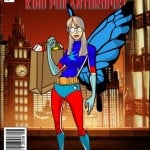
Activity 2. Create an avatar to use on your blog when leaving comments. Here is a post including some avatar sites . To add your avatar to your blog, if using Edublogs, check here. If using blogspot, check here. Teacher might need to change some settings in Kidblog to allow students to add own avatars.
- Like Lego figures – click here and here is a post from Brianna about her avatar
- Like comics – bitstrip avatars from Birney Bulldogs
- Will used toondoo to create a family avatar
- Mrs Vazquez’s class used google slides to show off their avatars
Did you find a great avatar site not mentioned here? Write a post about your avatar and how it represents you. Include a link to the website where you created the avatar.
Activity 3. On your blog you also need a page or post telling us about yourself. Again you could use a variety of tools to embed on your blog. Be creative:
- Write a poem
- Write an A-Z paragraph eg I am an athletic, yet brainy child who decided that saving the environment is one of my future goals.
- Create a tellegami like our mentor Dinah has done
- Create a list of things people might not know about you like Ms Herring has done
- Write a Who am I like Mrs Keane or Mrs Lyttle
- Students in Ireland paired up to create their about us page, Ms Seitz’ class did the same, Mrs Moore’s class are new bloggers
- Penelope, Warrior Kat, Harry,
If using Edublogs, below are instructions for creating your page. If using blogspot, check here. If using weebly, check here. If using Kidblog, you will need to write a post.
- Login to your blog, go to the dashboard>pages>add new
- Change the title to About Me or something similar.
- If you only have one row of icons above the box, click on the last icon called the kitchen sink or toggle. This opens a second row which allows you to change font colours.
- In the box, write a bit about yourself remembering to be internet safe. Make sure you have checked out the pages from other students mentioned – many of them have been blogging for a while.
- When you have finished click the big button on the right side of your screen – probably says update or send for review.
- Once you have saved your about me page, go back and delete the sample page.
- If your theme doesn’t show pages in the header area, then you will need to go to dashboard> appearance> widgets and drag across the Pages one to your sidebar.
Finished the work for week 1?
Then head off to the class or student list above the blog header and start visiting other blogs. You might not want to comment this week but maybe check them out. Are there any students with interests the same as you? Do you have a mentor yet? Have they left you any comments?
Other admin for week 1
- Check that your name appears only once on the list of participating students. Leave a comment on that page if I need to remove your name from the list – give me your name, URL and age so I can find you easily.
- If all the students in your class have blogs and your teacher has a section called ‘My class’, you should have a widget called ‘Class blogs’. Make sure this is on your sidebar.
- Add the challenge badge to your sidebar – here is link explaining how to do that.
- Can visitors leave comments on your blog posts? If your country is in bright pink, then you might need to change your privacy settings or give me your correct URL. Check this post for how to do this using Edublogs, Blogger and Kidblog.
How do I know you have done your activity?
You come back here to this post and leave me a comment. Make sure you include the URL of your post so I can visit and leave comments. Tell me what you enjoyed most about the activity.
Also great posts get added to our Flipboard magazine on the sidebar of the challenge blog.
242 comments on “Week 1: Hello, who are you?”
Hey Miss W.,
My name is Isabel here are my blog links…
Avatar: blogs.csdvt.org/isabelb2/wp-admin/post.php?post=8&action=
About Me:blogs.csdvt.org/isabelb2/sample-page/
Commenting:blogs.csdvt.org/isabelb2/2016/03/22/commenting/
Regular Blog: blogs.csdvt.org/isabelb2
Enjoy, Isabel
Hi Miss. W, here is my link to my post for the online and offline me http://shelby60.edublogs.org/2016/03/18/the-online-and-offline-me/ and here is the link for my all about me page http://shelby60.edublogs.org/about-me/
You can see my avatar on my home blog page
Hi Miss. W,
My name is Fiona. I think It was a great topic for week #7.
Check out my blog here, it is about wolves:
Happy blogging,
Fiona P.S. Here is a link to my post http://shirleys6th.edublogs.org/2015/11/23/week-7-blogging-challenge-how-to-live-like-a-wolf/
Hi miss W!
I have completed first week challenge. I hope you like it.
Here’s the link:
https://g5836336.edublogs.org/2015/11/20/student-blogging-challenge-week-1/
Have a nice day!
Hi miss W!
I have 3 new posts that I think you should check out! and anyone else if they want to they are about skiing, remembrance day, and Sushi! ~ Brooke 🙂
http://brookelx13.edublogs.org
Hi Miss W,
My name is Aislinn, I am sorry that I did inform you sooner about my “About Me” page,and here is the link to my blog below.
sincerely,
Aislinn
site:http://aislinnvpa.edublogs.org/
Wow!!!!! great links you guys have there well done.
Ms. W,
We have a late start but we are done with week 1…I am doing an after school tech club with some 8th graders and they have completed the tasks on my page. 🙂
Mrs. Barrett
Hi Mrs Barrett,
I would love to visit and leave some comments but you didn’t include the URL of your blog for me to click on. I can’t see your class blog on the class list either so couldn’t get to it from there.
Mrs. W,
I am so sorry. I must have been too excited. Here is our blog:
bonniebarrett.edublogs.org.
How do I get my class on the list?
G’day Mrs Barrett,
To get your class on the list, head to the top of the header on the student blogging challenge blog and click on Register for October 2015. There will be a link in there where you can register your class blog. Once registered, I then sort it according to age and it will appear on the list next door – Classes October 2015. Hope you and your students enjoy the activities.
Dear Ms. W,
Hi Ms. W! I’m really enjoying the blogging challenges. Can you look at one of my blogs? Thank you!
You can find my blog here:https://maneaclolo808.edublogs.org/wp-admin/post.php?post=72&action=edit&message=8
From,
Logan
Hi Miss W,
I have done my About Me post, here is the link.
http://maryw06.edublogs.org/2015/10/27/more-about-me/
Thanks,
Mary
i like the lego modle its cool
Hi Miss W,
I have done my 2nd About Me post. Here is the link to my blog.
http://maryw06.edublogs.org/
Hope you like it,
Mary
Hi Miss W,
I have finished my week one student blogging challenge.
http://emilysalva9501.edublogs.org/
Hi Miss W and others!
I have finished the student blog challenge. my blog URL is:
http://harrietw06.edublogs.org
Hope all of you like my blog!
Harriet